
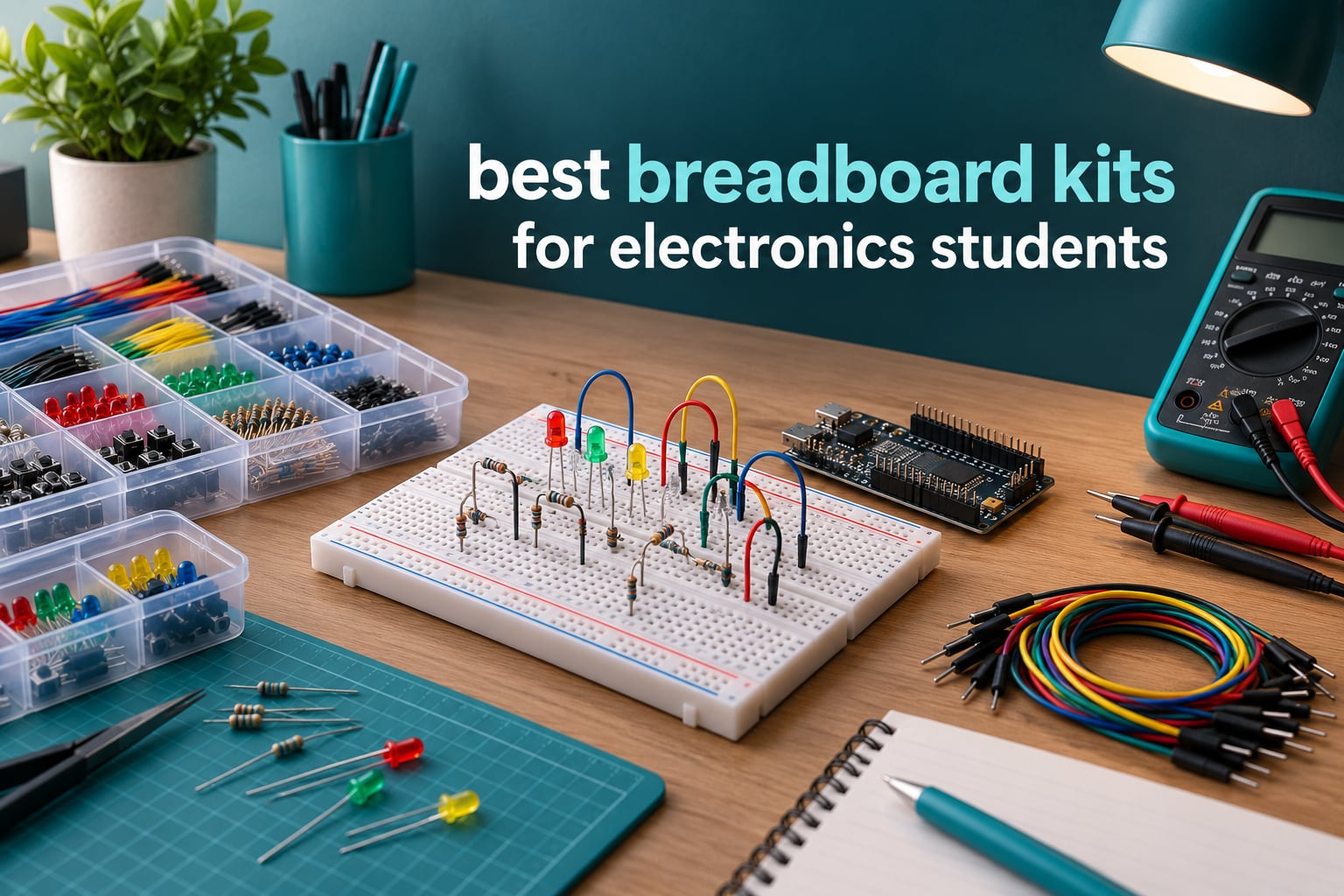
A breadboard kit is a solderless prototyping bundle that pairs a plug-in breadboard with jumper wires, resistors, capacitors, LEDs, transistors and other through-hole parts, so electronics students can build and test temporary circuits without touching a soldering iron. The best breadboard kits for electronics students solve one specific problem: they let you rewire a circuit in seconds instead of minutes, which is the difference between actually learning from a failed experiment and just re-soldering the same mistake.
Over the past few months our team has worked through these kits at a lab bench, wiring the same circuits on each one: LED drivers, RC delay stages, transistor switching, op-amp comparators, sensor reads on a microcontroller. The differences that showed up were rarely the ones on the box. They were socket tension, whether the power rails matched the printed labels, and whether the parts were labelled well enough to find at 11pm in a dorm room.
This roundup covers twelve kits, from bare breadboard-and-jumper bundles you can pair with your own microcontroller to full starter kits that ship with a controller board and lesson material. We looked at the ELEGOO UNO R3 Super Starter Kit, the REXQualis 830 tie-point bundle, the ELEGOO 235-item electronics bundle, the REXQualis 300-piece basic kit, the QLOUNI 1530-piece lab set, the Miuzei starter kit, the BOJACK 480-piece fun kit, the BOJACK four-board set, the HUAREW four-board pack, the Miuzei 400+ component kit, the HUAREW kit with power module, and the ELEGOO three-pack of 830-point boards.
Table of Contents
- Top 3 Breadboard Kits for Electronics Students in 2026
- All 12 Breadboard Kits at a Glance in 2026
- 1. ELEGOO UNO R3 Super Starter Kit: Best All-Round Kit for Students
- 2. REXQualis 830 Tie-Point Component Kit: Best Value Breadboard Bundle
- 3. ELEGOO 235-Item Bundle: Best for Intro Circuits Lab Work
- 4. REXQualis 300-Piece Basic Kit: Most Versatile for Tinkerers
- 5. QLOUNI 1530-Piece Lab Set: Best for Large Part Inventories
- 6. Miuzei Starter Kit: Best for Guided Classroom Learning
- 7. BOJACK 480-Piece Fun Kit: Best for Neatly Labelled Storage
- 8. BOJACK Four-Board Set: Best for Running Several Circuits at Once
- 9. HUAREW Four-Board Pack: Best Two-Size Starter Set
- 10. Miuzei 400+ Component Kit: Best Mid-Tier Part Sort
- 11. HUAREW Kit with Power Module: Best for Battery and USB Setups
- 12. ELEGOO 3-Pack 830-Point Boards: Best for Lab Groups
- How to Choose a Breadboard Kit for Student Use
- Frequently Asked Questions
- Final Verdict: Which Breadboard Kit Students Should Buy
Top 3 Breadboard Kits for Electronics Students in 2026

ELEGOO UNO R3 Super Starter Kit
- UNO R3 controller board
- Pre-soldered LCD1602 display
- Sensor and motor bundle
- 22+ guided lessons

REXQualis 830 Tie-Point Kit
- 830 tie-point board
- Over 400 components
- USB power module
- Labelled packaging

ELEGOO 3-Pack 830-Point Boards
- Three full-size boards
- Four labelled power rails
- Side clips for joining boards
- Consistent tie-point layout
Our editor’s choice is the ELEGOO UNO R3 Super Starter Kit, and it earned that spot on breadth plus documentation rather than on any single spec. It ships with the controller, the display already soldered to a header, sensors, motors and 22 guided lessons, so a student can go from unboxing to a working circuit the same evening. Across 16k+ reviews the recurring theme is that the parts are all present, organised and functional.
For best value, the REXQualis 830 tie-point kit gives you the biggest component-to-spend ratio of anything we tested. You get an 830 tie-point board, over 400 parts and a USB-equipped power module, but no controller board, so this one suits a student who already owns an Arduino or Raspberry Pi.
The ELEGOO three-pack of 830-point boards is our lab-group pick. Three full-size boards with printed rail letters, numbers and colour guides let a group keep three circuits assembled at once, and the side clips let you widen a single prototype when a design grows past one board.
All 12 Breadboard Kits at a Glance in 2026
| Product | Specifications | Action |
|---|---|---|
| ELEGOO UNO R3 Super Starter Kit |
|
Check Latest Price |
| REXQualis 830 Tie-Point Kit |
|
Check Latest Price |
 ELEGOO 235-Item Breadboard Bundle ELEGOO 235-Item Breadboard Bundle |
|
Check Latest Price |
 REXQualis 300-Piece Basic Kit REXQualis 300-Piece Basic Kit |
|
Check Latest Price |
 QLOUNI 1530-Piece Lab Set QLOUNI 1530-Piece Lab Set |
|
Check Latest Price |
 Miuzei Starter Kit Miuzei Starter Kit |
|
Check Latest Price |
 BOJACK 480-Piece Fun Kit BOJACK 480-Piece Fun Kit |
|
Check Latest Price |
 BOJACK Four-Board Set BOJACK Four-Board Set |
|
Check Latest Price |
 HUAREW Four-Board Pack HUAREW Four-Board Pack |
|
Check Latest Price |
 Miuzei 400+ Component Kit Miuzei 400+ Component Kit |
|
Check Latest Price |
 HUAREW Kit with Power Module HUAREW Kit with Power Module |
|
Check Latest Price |
| ELEGOO 3-Pack 830-Point Boards |
|
Check Latest Price |
1. ELEGOO UNO R3 Super Starter Kit: Best All-Round Kit for Students
ELEGOO UNO R3 Project Super Starter Kit with PDF Tutorial for Beginners
UNO R3 controller
Pre-soldered LCD1602 display
Breadboard power module
Ultrasonic and DHT11 sensors
Pros
- Very wide component spread in one box
- 22+ step-by-step lessons with example code
- Pre-soldered LCD means no iron needed
- Neatly organised packaging
- Reliable motors sensors and display
Cons
- Occasional reports of a faulty breadboard power rail
- Thin documentation for macOS IDE setup
- UNO R3 has limited pin count for large builds
This is the kit we hand to a student who has never wired anything. The box contains the UNO R3 controller, an LCD1602 with a header already soldered on, a breadboard power supply, ultrasonic and DHT11 sensors, a joystick, an IR receiver with remote, an SG90 servo, a stepper motor, a relay, a DC motor, a fan blade, displays, LEDs, buttons, resistors and jumper wires. That is a lot of working parts before you write a line of code.
In our testing the LCD arriving pre-soldered was the detail that mattered most. Students who get a bare 16-pin LCD spend their first session bending leads and soldering a header, which is a soldering lesson they did not ask for. Here the display drops straight into the breadboard on pin headers and the first project is about circuits rather than about a cold iron.
The 22 guided lessons cover digital input and output, analogue sensing, timing, motor control and display functions, and each one maps to something in the box. Owners consistently describe the lesson material as easy to follow and genuinely useful for expanding their electronics skills, which is not something we can say about most kit documentation.
Two caveats are worth knowing before you commit. A minority of owners report a breadboard power rail that produced a dead short, so power the board from USB or from a rail you have tested rather than assuming the module is fine. Documentation for setting up the Arduino IDE on macOS is also thinner than the Windows walkthrough, which trips up students on laptops.
What you get that smaller kits skip
The motors. Most component bundles stop at LEDs, buttons and sensors, which leaves you blinking lights for a semester. Having a servo, a stepper motor and a DC motor in the same box means PWM experiments, H-bridge reasoning and actuator testing all happen without another order.
The sensors matter just as much for embedded coursework. The ultrasonic sensor plus DHT11 covers distance and temperature in the same lesson set, and the IR receiver with remote gives you a wireless input path without any radio hardware.
Where it falls short for students
The UNO R3 has a limited number of input and output pins, so anything approaching a real embedded project will outgrow it. Plan on adding an I/O expander or moving to a board with more pins before your senior project.
It is also a large kit. The component list runs to motors, a display and sensors, so budget real desk space and a storage solution. If you want a lighter first purchase, our value pick below covers more circuits per cubic centimetre.
2. REXQualis 830 Tie-Point Component Kit: Best Value Breadboard Bundle
REXQualis Electronics Component Fun Kit w/Power Supply Module, Jumper Wire, 830 tie-Points Breadboard, Precision Potentiometer,Resistor Compatible with Arduino, Raspberry Pi, STM32
830 tie-point breadboard
Over 400 components
USB power module
Labelled packaging
Pros
- Huge component count for the spend
- Individually packaged and labelled parts
- USB cable for the power module is hard to source separately
- Works with Arduino Raspberry Pi and STM32
- Sturdy storage box
Cons
- Controller board not included
- No printed project documentation ships with the box
This is the bundle we keep coming back to when a student already has a microcontroller and needs parts. You get an 830 tie-point solderless breadboard, a breadboard power supply with a USB power cable, and more than 400 sensors and components. Compatible devices listed include Arduino, Raspberry Pi and STM32 boards.
The 830 tie-point size is the practical choice for university work. It gives you a 630-point terminal area plus distribution strips, enough room to build a filter, an amplifier stage and a sensor front end on one board without contorting the layout.
The USB power cable for the breadboard module is a small detail that consistently draws praise, because that specific lead is annoying to source on its own. Output options cover the common logic rails, so you can run 3.3V parts and 5V parts on the same board, which matters once you add an ESP32 to a circuit built around older sensors.
Documentation is the weak point. There is no printed project material in the box; the datasheet and tutorial are downloadable from the manufacturer’s website or available through their customer service. That is workable, but you need a computer nearby and it is not the same as a guided course.
Why the labelled packaging matters more than it sounds
Resistors, LEDs, transistors and integrated circuits are individually packaged and labelled, and stored in a sturdy box. That matters because a bag of unlabelled 1/4W resistors means a second resistor band reader every time you need 220 ohm, and finding that at the end of a lab session is pure friction.
Components that plug directly into the board also save real time. Transistor and IC experiments can start the moment the parts hit the bench instead of after you find a resistor to bias them.
Where it falls short for students
No controller board is included. That is fine if you own an Arduino Nano or a Raspberry Pi Pico already, and it is the wrong kit entirely for someone starting from zero with no microcontroller at all.
There is also no printed project guide, so you need your own curriculum or course notes. Pair it with the ELEGOO starter kit above if you want both parts depth and guided material.
3. ELEGOO 235-Item Bundle: Best for Intro Circuits Lab Work
ELEGOO Electronic Fun Kit Bundle with Breadboard, 235 Items for Arduino
400 tie-point solderless board
235 parts
Selectable 3.3V or 5V rails
74HC595 and 4N35 included
Pros
- Very wide component range for a low spend
- Tie points grip leads firmly
- Resistor values labelled on the packaging
- Board is big enough for fairly complex circuits
- Components in polythene bags
Cons
- No printed project documentation
- Breadboard supplied in three sections with a large adhesive pad
- Controller board cable and wall adapter not included
This bundle is built around a 400 tie-point solderless breadboard with a 3.3V or 5V power module, and the part list is deliberately chosen for introductory theory: resistors, capacitors, LEDs, diodes, transistors, buttons, a potentiometer, buzzers and light-sensitive components. Two parts stand out for course work. The 74HC595 shift register lets you drive eight outputs from three pins, and the 4N35 optocoupler lets you demonstrate signal isolation between circuit domains.
Those two components are exactly what separates a parts bag from a lab kit. Optical isolation and output expansion both appear in second-year digital and signals courses, and having them on hand saves a delivery wait.
Physically, the board performed better than we expected for this tier. Reviewers frequently call out that the tie points grip component leads firmly, and the medium board size turned out to be big enough for fairly complex circuits rather than just single-LED demos.
Resistor values are labelled on the packaging, which many comparable kits skip entirely. Input is a 6.5V to 9V DC supply and you should not exceed 9V, which is a sensible guardrail for a kit that students will power from a lab supply.
What you can build on it first
Classic traffic-light sequences, light-activated circuits, RGB effects and buzzer alarms all sit comfortably on 400 tie points. The 1N4007 diodes cover polarity protection and rectification demos, and the PN2222 transistors handle load switching.
Because there is no microcontroller, everything here is pure circuit theory: dividers, RC timing, transistor biasing. That is a feature for a circuits course and a limitation for a microcontroller course.
Where it falls short for students
The breadboard arrives in three sections joined by a large self-adhesive pad, which makes the board awkward to expand later and awkward to mount flat. Plan your layout around that footprint rather than against it.
No controller board, programming cable or wall adapter is included, and the documentation for this specific kit is thin on the manufacturer’s site. One early negative review was later updated positively once the manufacturer supplied a manual, so the current picture is better than the earliest feedback suggests.
4. REXQualis 300-Piece Basic Kit: Most Versatile for Tinkerers
REXQualis Electronics Basic Kit w/Power Supply Module, Breadboard, Jumper Wire, LED,Resistor, comes with more than 300pcs sensors and components for fun and simple electronic projects.
Over 300 components
Breadboard power supply
USB power cable
Arduino and Raspberry Pi compatible
Pros
- Over 300 components at a low spend
- Individually packaged and labelled parts
- USB cable for the power module included
- Compatible with Arduino and Raspberry Pi
Cons
- Controller board not included
- Documentation limited to a website datasheet
This is the stripped-down sibling of the kit above: over 300 sensors and components, a breadboard power supply and a USB cable, in a smaller box at 7.16 by 3.46 by 1.77 inches. Compatible devices are listed as Arduino and Raspberry Pi.
For a student who wants a component library without committing much, the appeal is straightforward: over 300 parts means you can run the standard sequence of experiments without immediately running out of a value. LEDs, resistors, transistors and sensors cover the intro circuits syllabus.
What separates this from a bare parts bag is the same packaging philosophy as the larger REXQualis kit. Every resistor, LED, transistor and integrated circuit is bagged individually and labelled, in a sturdy box that survives being carried between a dorm room and a lab.
The breadboard power supply and USB cable are the other inclusion that shows the manufacturer thought about the bench, not just the box. That module gives you selectable rails without hunting for a separate supply.
When this is the right pick
Choose this if you already own a microcontroller and want a component library for coursework. It covers the parts you will burn through in the first two years: current-limiting resistors, indicator LEDs, switching transistors and sensors.
It also works well as a shared kit for a study group. Individually bagged parts mean five people can find the right resistor without dismantling one shared pile.
Where it falls short for students
There is no controller board, so it will not get you from box to blinking LED on its own. Documentation is limited to a datasheet on the manufacturer’s website, with no project sequence to follow.
If your coursework is microcontroller-led rather than circuits-led, spend the difference on the Miuzei starter kit further down instead, which includes the board and lesson links.
5. QLOUNI 1530-Piece Lab Set: Best for Large Part Inventories
1530Pcs Electronics Component Kit – Electronics Lab Starter Set 830-Tie Breadboard, Metal-Film Resistors, Ceramic & Electrolytic Capacitors, LEDs, Diodes, Transistors, Dupont & Jumper Wires
1530 parts total
830 tie breadboard
600 resistors across 30 values
65 pre-formed jumpers
Pros
- Very high part count across every basic type
- Full-size 830 tie board with bridged power rails
- Parts paper-taped by value and bagged by type
- Sturdy storage case included
- Works with Arduino Raspberry Pi and ESP32
Cons
- No microcontroller or controller board included
- Polarity must be observed on electrolytics and diodes
- Static-sensitive parts need appropriate handling
Nothing else in this roundup comes close on quantity. The set totals 1530 pieces, broken down as 600 quarter-watt metal-film resistors at one percent tolerance across 30 values from 10 ohm to 1M ohm, 300 ceramic capacitors across 30 values from 2pF to 0.1uF, 120 electrolytics from 0.22uF to 470uF rated 16V to 50V, 104 LEDs in 3mm and 5mm sizes across five colours plus flashing types, 100 mixed diodes and 180 TO-92 transistors in 18 types.
The resistor range alone is a teaching tool. Thirty values from 10 ohm to 1M ohm at one percent tolerance covers colour-code work, divider design and tolerance comparisons, which is more than a typical student kit offers.
The full-size 830 tie solderless breadboard comes with bridged power rails, so the two rail lines are connected across the board and you can still reach the entire rail from one side. The wiring bundle is 60 Dupont leads at 20 cm in equal numbers of male-to-male, male-to-female and female-to-female, plus 65 pre-formed jumpers in four lengths.
Why the organisation is the real feature
Resistors are paper-taped by value and everything else is bagged by type, with colours chosen so a value is identifiable without unwrapping. For a student juggling four courses, that organisation saves more time than the raw part count does.
The storage case is sturdy and portable, which is the difference between a kit that survives four years of use and one that ends up as loose parts in a desk drawer.
Where it falls short for students
There is no microcontroller included, so this pairs with a board you already own. Compatible options named in the product information include Arduino, Raspberry Pi and ESP32.
You have to observe polarity on electrolytic capacitors and diodes, and some parts are static-sensitive, so this is a poorer choice as a first-ever kit for someone who has not yet handled components carefully. Our review base for this set is also smaller than the others here, so treat the consensus as thinner.
6. Miuzei Starter Kit: Best for Guided Classroom Learning
Miuzei Starter Kit with Breadboard Power Supply Compatible with Arduino IDE
Controller board included
9V 1A power supply
28+ lesson links
Pre-soldered modules
Pros
- Complete all-in-one kit with the microcontroller
- 28+ lesson links give a clear learning path
- Pre-soldered parts remove the need for an iron
- Anti-static bags and an organised box
Cons
- Tutorial is hosted online rather than in the box
- Not tailored to students who already own an Arduino
This is the guided option. The kit includes a microcontroller, an LCD1602 module, a breadboard, a 9V 1A power supply, a servo, sensors, jumper wires and LEDs, and every module arrives pre-soldered so it connects through pin headers. All projects complete over USB.
That last point is the practical winner for coursework. Because modules attach by header rather than by loose leads, a class of twenty can each build the same circuit without a soldering station or a component recovery log.
The 28+ lesson links come with English instructions and cover both how to handle and how to programme the board, which gives beginners a path rather than a pile of parts. For a lab session with a mixed-ability group, that path is worth more than extra resistors.
Where the pre-soldered design pays off
Pre-soldered components with pin headers mean the first hour of a lab is spent on circuit design instead of on tinning. The 9V 1A supply also covers motor and servo loads that a USB port alone would struggle with.
Components are stored in anti-static bags inside a high-quality box, so the kit stays organised between sessions and survives being moved from a store room to a classroom.
Where it falls short for students
The tutorial is hosted online rather than included in the box, so you need reliable internet before the first lab session. There is no printed fallback if the links go dead mid-term.
It is also not tailored to students who already own an Arduino board, since the included controller duplicates hardware you have. Check what your course already provides before buying.
7. BOJACK 480-Piece Fun Kit: Best for Neatly Labelled Storage
BOJACK 37 Values 480 Pcs Electronics Component Fun Kit with Power Supply Module, Jumper Wire,Precision Potentiometer,830 tie-Points Breadboard Compatible with STM32,Raspberry Pi,Arduino
480 pieces across 37 values
830 tie-point breadboard
Power module and USB cable
Transparent labelled box
Pros
- Over 400 components support a wide experiment range
- Each component classified and labelled in a transparent box
- Power module and USB cable included so no soldering is needed
- Components plug straight into the breadboard
- Works with STM32 Raspberry Pi and Arduino
Cons
- No microcontroller board included
- Solderless only
- so not usable for permanent builds
The organising idea here is the value system. The kit contains 480 pieces spread across 37 component values, and every component is classified and packaged into a transparent box with clear labels on it. When you need a specific value mid-experiment, you find it by reading the label rather than by sorting a heap.
The hardware is a 830 tie-point solderless breadboard with a precision potentiometer, plus a power module and a USB data cable. Compatible devices are listed as STM32, Raspberry Pi and Arduino.
Reviewers repeatedly highlight the labelled storage box as the reason the kit works in practice, alongside the fact that components plug directly into the breadboard with no soldering required. Reliable component quality and broad compatibility come up as well.
One thing worth noting: the built-in media listing names the power module, USB data cable, jumper wire, precision potentiometer, 830 tie-points breadboard and other components, so you are not working out what is present from memory before your first session.
Where this kit fits in a student lab
This is the kit to buy when you share a space with other people. Transparent labelled compartments mean a lab group of three or four can work from the same box without fighting over which resistor belongs to whom.
The precision potentiometer is a nicer touch than the trimpots in cheaper kits, because it can be wired into a control input where a student can actually turn it during a demonstration.
Where it falls short for students
No microcontroller board is included, so you need an Arduino, Raspberry Pi or STM32 host. The missing controller is the most common limitation reported for this kit.
Because the boards are solderless, this is a prototyping tool only. Anything you build here has to be rebuilt on a perfboard or a printed circuit board for permanent use, and our guide to soldering stations for electronics repair covers that step separately.
8. BOJACK Four-Board Set: Best for Running Several Circuits at Once
BOJACK 3 Values 130 Pcs Solderless Breadboard 4 Pcs 830 Tie Points & 400 Tie Points & 126 Pcs Flexible Breadboard Jumper Wires
Two 830 and two 400 tie boards
126 jumper wires
Phosphor bronze contacts
Spliceable boards
Pros
- Multiple board sizes let you build more than one circuit at once
- Boards splice together to expand the prototyping area
- Colour-coded structure makes internal connections clear
- Tin-plated phosphor bronze contacts insert reliably
Cons
- No components or controller board included
- Solderless design not suitable for permanent circuits
This is a board-and-wire bundle rather than a parts kit, and that is exactly what some students need. You get four solderless breadboards, two at 830 tie points and two at 400 tie points, plus 126 flexible breadboard jumper wires. The board material is ABS plastic with a tin-plated phosphor bronze contact sheet.
Four boards changes how you work. Instead of tearing down one circuit to build the next, you can keep a working reference circuit intact while you iterate on a second, which is how you actually isolate a fault. Our testing habit of comparing a known-good circuit against a new one depends entirely on having spare board area.
The 830 tie-point and 400 tie-point mix is deliberate in a good way. Small boards suit a single LED driver or a comparator stage; the full-size boards suit anything with an IC. Owners consistently mention splicing boards together as the feature that extends the usable area.
The colour-coded structure is genuinely useful for teaching. The top and bottom rows of holes connect horizontally and split in the middle, while the remaining holes connect vertically, and the board colours make that layout obvious at a glance.
What to pair it with
Treat this as infrastructure. Buy it alongside one of the component kits above rather than instead of one, and you get a bench where four circuits can exist at once, which is the setup most embedded coursework eventually demands.
It also solves the lab group problem. One board each means nobody is unplugging somebody else’s reference circuit mid-experiment.
Where it falls short for students
There are no components and no controller board in the box, so on its own it will not get you to a working circuit. It also only works for temporary builds; anything permanent needs a perfboard or a printed circuit board.
Judge it against the ELEGOO three-pack further down if you want labelled power rails and consistent unit-to-unit tension, since both of those matter more for repeated coursework use.
9. HUAREW Four-Board Pack: Best Two-Size Starter Set
HUAREW Breadboard and Jumper Wires Kit Include 830 Tie Points Breadboard 400 Tie Points Breadboard Jumper Wire
Two 830 and two 400 tie boards
Jumpers in all three styles
20-29 AWG wire
Braided copper strand terminals
Pros
- Two 830 and two 400 boards with jumpers in every style
- Neat pinholes and metal pins that resist bending
- Two sizes make parallel prototypes easy
- Boards arrive clearly labelled
Cons
- One reviewer found the board shape awkward on the adhesive pad
- A few pins can be tight on arrival
- No components or controller board included
This is the closest competitor to the BOJACK four-board set, and it comes with a fuller wire complement. The package holds two 830 tie-point breadboards and two 400 tie-point breadboards, with 40-pin jumper wires in each of the F2F, F2M and M2M styles.
That means 120 wires across three connector types in a single pack. For a student moving from discrete components to modules, having male-to-female jumpers in the box removes the most common reason a first module build stalls.
Construction details are the reason this scores well. The boards interconnect any components with 20-29 AWG wire from 0.3mm to 0.8mm, the jumper terminals have sturdy plastic housings and 10 braided copper strands, and the boards arrive clearly labelled so you can tell the two sizes apart without measuring.
Two things did earn criticism. One reviewer found the breadboard shape awkward for mounting on the self-adhesive pad, and a few pins were reported as tight on arrival. On the positive side, customer service replaced a board with tight pins, which tells you something about how the seller handles a genuine fault.
Where it earns its place
Two board sizes make it easy to work on multiple prototypes at once, which suits a student juggling a lab exercise and a personal project. The 400 tie-point boards are large enough for a real stage, not just a single component.
The stated application is students, engineers and technicians working on Arduino-based DIY or Raspberry Pi, so the wire gauge range matches typical microcontroller hookup rather than mains wiring.
Where it falls short for students
There are no components and no controller board, so this is a supplement to a parts kit rather than a replacement. Check pin tension on arrival with a spare wire before you commit a deadline circuit to one board.
If your course hands out components and you only need board area and wire, this is exactly the right shape of purchase.
10. Miuzei 400+ Component Kit: Best Mid-Tier Part Sort
Miuzei Electronics Component Kit with Breadboard Compatible with Arduino
400+ components
USB power cable for supply
Labelled individual packaging
ICs diodes and transistors
Pros
- Over 400 components give plenty of experiment room
- Individually packaged and labelled in a sturdy box
- USB power cable for the breadboard supply is useful
- Downloadable datasheet and tutorial
- Often bought as a gift for new students
Cons
- Controller board not included
- No printed documentation ships with the kit
This sits in the middle of the range and does the same job as the REXQualis kits with a different balance of parts. It ships with more than 400 sensors and components, LEDs, resistors, buttons, capacitors, transistors, diodes and integrated circuits, plus a breadboard kit with a USB power cable.
The part mix is worth reading closely. Diodes and integrated circuits in a kit at this tier is unusual, and ICs are exactly what you need for digital logic exercises, shift-register counting and timer-based oscillator builds.
As with the other individually packaged kits here, each component is bagged and labelled in a sturdy box. Buyers single out the labelled individual packaging and the included USB cable for the power supply as the two details that justify the purchase.
Documentation is available as a datasheet and tutorial download from the official website, and reviewers note it is often given to students and hobbyists new to electronics as a gift, which fits its breadth-over-depth positioning.
When to pick this over the REXQualis kit
If you specifically want integrated circuits and diodes in the box, this is the pick. If you want the absolute largest component count for the least spend, the REXQualis 830 tie-point bundle is the better value.
For a second-year student, the IC selection is worth more than raw quantity, because shift registers, timers and logic gates are what your assignments are built on.
Where it falls short for students
The controller board is not included, so you need to bring your own microcontroller. Documentation is online only, with nothing printed in the kit.
There is no storage case beyond the box, so over four years expect to buy an organiser or a set of small parts trays. Our digital microscope guide is worth a look if you plan to inspect solder joints later, though for a breadboard kit a magnifier and good light do most of the work.
11. HUAREW Kit with Power Module: Best for Battery and USB Setups
HUAREW Breadboard Kit with Power Supply Module, Jumper Wires,Battery Clip,830 & 400 tie-Points Breadboard
Switchable 3.3V and 5V output
6.5-12V DC or USB input
Battery clip
830 and 400 tie boards
Pros
- Switchable 3.3V and 5V removes the need for separate rails
- Accepts 6.5-12V DC or USB power input
- Both 830 and 400 tie-point boards in one kit
- Four jumper wire lengths cover short and long runs
Cons
- Breadboards are solderless
- so no permanent circuits
- No components or microcontroller included
This kit is defined by its power module, and that is a sensible priority for a student. Input is 6.5V to 12V DC or a USB power supply, output voltage switches between 3.3V and 5V, and maximum output current sits under 700mA. A battery clip is included for supply options that need it.
Switchable rails matter more as projects get mixed. An ESP32 or a 3.3V sensor on the same board as a 5V logic circuit requires two rails, and a module that does both removes one of the most common breadboard wiring frustrations.
The four jumper lengths of 12cm, 16cm, 20cm and 25cm are a quiet quality signal. Short jumpers keep dense layouts tidy, and longer ones reach across a full 830 tie-point board without a coil of loose wire.
The board material matches the better packs in this roundup: an ABS plastic panel with a tin-plated phosphor bronze contact sheet. That contact material is the same one cited in the BOJACK set, and it is the hardware detail most associated with reliable insertion.
How to use the power module carefully
Under 700mA is a real ceiling. Servos, stepper motors and DC motors draw far more than that, so power those loads from a separate supply rather than the breadboard module, and use the module for logic rails only.
Keep the input within the 6.5V to 12V DC range. Feeding a higher voltage into the module is the fastest way to damage the rails and every component sitting on them.
Where it falls short for students
There are no components and no microcontroller in the kit, so it is infrastructure rather than a learning bundle. And like every solderless board here, it cannot be used for a permanent circuit.
If your work is motor-heavy, budget for a proper bench supply rather than trying to push current through this module. Our bench power supply roundup covers the units that handle that load properly.
12. ELEGOO 3-Pack 830-Point Boards: Best for Lab Groups
ELEGOO 3pcs Breadboard 830-Point Solderless Prototype PCB Board Kit
Three 830 tie-point boards
Four labelled power rails
Side clips for joining boards
Accepts 21-26 AWG leads
Pros
- Three full-size boards let you keep multiple circuits assembled
- Printed letters numbers and coloured rail guides aid tracing
- Side clips allow boards to be joined for larger prototypes
- Clamp firmly to IC pins and Dupont cables
- Support has replaced boards with contact problems
Cons
- Hole tension varies between boards
- Some power rails do not grip along their length
- Side clips do not fit 400-point boards
- Wires and components sold separately
Each of these boards carries a 630-point terminal area plus two 100-point distribution strips, giving 830 tie points in total, with four power rails marked by printed letters, numbers and coloured rail guides. That labelling is the reason this pack works for teaching: a student can trace a rail on the board instead of counting columns in their head.
Three boards is the practical unit for lab work. You can keep three circuits assembled at once, give each group in a three-student lab its own board, or connect boards side by side for a larger prototype using the side clips.
The self-adhesive backing is a mounting option rather than a default. Peel it to fix a finished prototype to a clean flat surface, or leave it alone and use the side clips when you want to reconfigure. Boards clamp firmly to IC pins, 24 AWG solid wire and Dupont cables, and they are designed for straight 21-26 AWG leads.
Reviewers highlight the readable labelling, the sturdy construction and the value of three full-size boards, particularly for classroom use where every group needs its own space.
Check tension before you rely on a board
The most consistent complaint across reviews is variation in hole tension. Some boards in a pack grip too tightly to insert a wire comfortably, others are too loose to hold a connection, and power rail contacts on some do not grip reliably along their whole length. Test each board with a spare wire on arrival.
This is not a deal-breaker. ELEGOO has shipped replacement boards where contacts or tension were a problem, so the practical move is to identify the weak board early rather than debugging a mystery intermittent fault three weeks into a project.
Where it falls short for students
There are no components, no jumper wires and no controller board, so this is purely board area. The side clips also do not accept 400-point boards, which limits how you combine it with smaller packs.
For a first kit, pair this with a component bundle such as the REXQualis 830 tie-point set so you have both the parts and the labelled board area.
How to Choose a Breadboard Kit for Student Use
Start with whether you already own a microcontroller. This single question eliminates half the list. Kits that include a controller, such as the ELEGOO UNO R3 Super Starter Kit and the Miuzei starter kit, are self-contained. Kits that ship only parts, which is every REXQualis, BOJACK, Miuzei component and HUAREW option here, assume you already have an Arduino Uno R3, a Raspberry Pi Pico or an ESP32 on your desk.
Pick 830 tie points over 400 for university work. A 400 tie-point board handles a comparator or an LED driver comfortably and nothing more. An 830 tie-point board lets you place a sensor front end, an amplifier stage and a logic section on one surface without cutting runs, which is the difference between a readable schematic and a bird’s nest.
Treat socket tension as the quality signal that matters. The most common complaint in electronics forums is not about a missing part, it is about a board where a wire will not seat properly or where a contact fails intermittently. Intermittent contacts produce false debugging results, which is worse than a broken board because it sends you hunting for a circuit fault that does not exist. The tin-plated phosphor bronze contact material named in the BOJACK and HUAREW specifications is a good sign, and the reported tension variation in the ELEGOO three-pack is exactly the failure mode to check on arrival.
Buy two sizes if you can. Bundles such as the HUAREW four-board pack and the HUAREW kit with power module give you both 830 and 400 tie-point boards. Large boards for the real work, small boards for a reference circuit you do not want to dismantle, and the two do different jobs all term.
Check the wire list, not the component count. Component totals are marketing-friendly and inflated. What you actually need to know is whether male-to-male, male-to-female and female-to-female jumpers are all present, and how many of each. The HUAREW four-board pack includes 40-pin jumpers in all three styles, which is the kind of detail that removes a frustrating afternoon.
Decide how you will power it. A power supply module with switchable 3.3V and 5V rails, such as the one on the HUAREW kit, covers mixed-voltage logic without extra parts. A 9V battery snap or clip is simpler but not adjustable. A bench supply with current limiting is the right answer for motor work and for any experiment where a short is a real possibility. Keep in mind that the modules in this roundup sit under 700mA, so they are logic supplies, not power supplies.
Match the kit to your course level. Intro to circuits students get the most from a passive parts bundle with resistors, capacitors, diodes and transistors, since the learning is in the circuit. Embedded systems students get the most from a kit with a controller, pre-soldered modules and sensor variety, because the bottleneck is wiring time, not theory. Signals and systems students need the small board area and the jumper selection more than raw quantities. Senior project students are mostly buying parts individually anyway by that point.
Plan what to buy after the kit runs out. Every kit here will empty. You will burn through common resistor values first, then need 74HC595 shift registers, 555 timers, op-amps and transistors that no bundle includes in useful quantity. Budget a parts order for the second term rather than discovering the gap during a lab session.
Do you need a multimeter with a breadboard kit? Yes. A kit lets you build a circuit, but a multimeter tells you whether the circuit works and where it fails. Without one, a dead rail and a blown LED look identical from the bench. That is also the most common piece of student advice that repeats across electronics forums.
How to check a new board before you trust it: plug a spare jumper into about ten holes spread across the terminal area and confirm each one grips; check that a component lead inserted in one hole of a five-hole strip reads continuity to the other four; run continuity across each power rail end to end; and confirm the rail markings match what you assume they mark. Ten minutes here prevents a week of chasing an intermittent fault.
What can you use instead of a breadboard? A perfboard is the same temporary-style workflow but soldered, which makes it the right choice once a design stops changing. A printed circuit board is for a design that has settled and needs to be built repeatedly or submitted for fabrication. A solderless breadboard wins only while the circuit is still moving, and that is the stage where student projects live.
Frequently Asked Questions
What is the best breadboard for electronics?
For student work, the best breadboard is a full-size 830 tie-point board with printed power rail labels and consistent hole tension, such as the ELEGOO three-pack. The 830 tie-point size gives a 630-point terminal area plus distribution strips, which is enough for a sensor front end, an amplifier and a logic section at once. Check hole tension with a spare jumper on arrival, since inconsistent grip is the main cause of intermittent faults.
What is the purpose of a solderless breadboard?
A solderless breadboard lets you build a temporary circuit by pushing component leads into holes that are already electrically connected underneath by metal contact strips. Because nothing is soldered, you can rewire in seconds, probe the same node with a meter and change one component without rebuilding the whole circuit. That fast iterate-and-measure loop is what makes it the standard first tool for electronics students.
What are the main components of a breadboard?
A breadboard has a plastic body, metal contact strips clipped underneath, a main terminal area grouped into vertical strips of five holes, and power rails running horizontally along the top and bottom edges. On top of that, a typical kit adds jumper wires in male-to-male, male-to-female and female-to-female styles, a power supply module, resistors, capacitors, LEDs, transistors, diodes, integrated circuits, switches, potentiometers and sensors.
Are cheap breadboards bad?
Cheap boards are not automatically bad, but quality varies far more than the listing suggests. The recurring problems in student forums are holes that are too tight to insert a wire, holes too loose to hold a connection, and contact strips that lose grip after repeated use. Those cause intermittent circuits, which send you debugging a fault that does not exist. Test a board with a spare jumper before you build a deadline circuit on it, and check that the power rail markings match the actual connections.
What can I use instead of a breadboard?
Use a perfboard when a design has stopped changing and you want a soldered version of the same temporary-style workflow. Use a printed circuit board when the design is settled and needs to be built repeatedly, submitted for fabrication or fitted in an enclosure. A solderless breadboard is only the right tool while the circuit is still moving, which in student work means the first few iterations of any design.
What size breadboard do I need for university?
An 830 tie-point board is the standard size for university lab work because it holds a multi-stage circuit without cutting jumper runs. A 400 tie-point board is enough for a single stage such as a comparator, an LED driver or a sensor front end, and it is a useful second board for keeping a known-good reference circuit intact. Most students end up owning one of each, which is why several bundles here include both sizes.
Final Verdict: Which Breadboard Kit Students Should Buy
The best breadboard kits for electronics students split into two honest categories, and pretending otherwise wastes money. If you need a working circuit tonight, the ELEGOO UNO R3 Super Starter Kit wins on completeness: controller board, pre-soldered display, motors, sensors and 22 guided lessons in one box, backed by the largest review base in this roundup.
If you already own a microcontroller, buy parts instead. The REXQualis 830 tie-point bundle gives the most components per spend, the QLOUNI 1530-piece set wins on quantity and organisation, and the BOJACK 480-piece kit wins on labelled storage for a shared lab.
Whichever you choose, test the board’s hole tension and power rails the day it arrives. That ten-minute check is the difference between a kit that debugs cleanly and one that sends you chasing faults that live in the contacts. Updated for 2026, our advice is unchanged from the first round we ran: buy the board area you will actually use, and buy the parts you cannot get from your lab.