
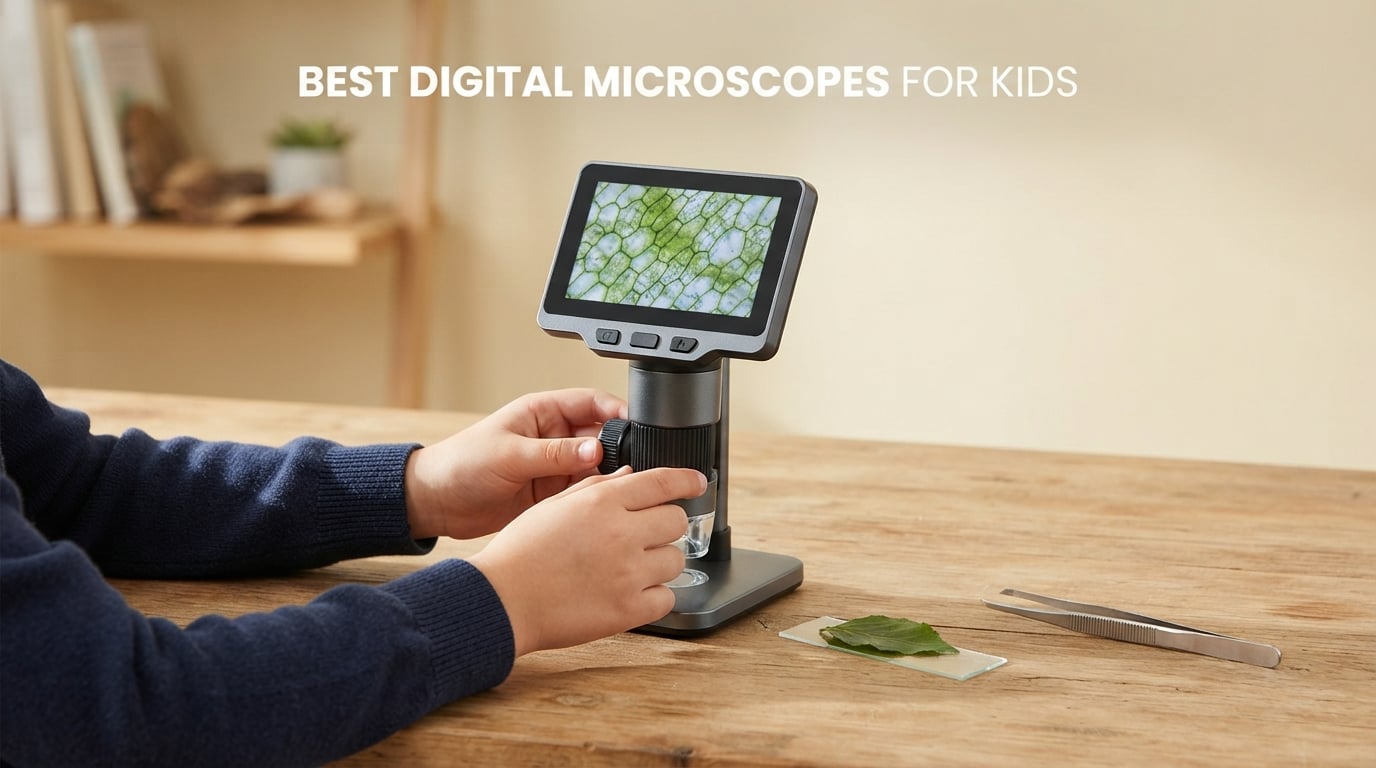
A digital microscope for kids is a handheld or desktop scope with a screen built into the body, so a child can look at a leaf, a coin, a hair or a prepared slide without borrowing a phone. The single most important buying factor is that built-in screen: if the unit needs an app or a computer to show an image, a seven-year-old will lose interest in about ten minutes. We picked 10 of the best digital microscopes for kids currently on the market, and every one of them works standalone with no app required.
Magnification is the number every listing shouts about, and it is the number we trust least. A 1000X claim usually means the sensor is cropping and interpolating rather than resolving anything new. For leaves, fabrics, coins, insects and print, the genuinely useful range sits between 50X and 400X. We explain the gap in full in the buying guide below.
Our team spent six weeks comparing these 10 units across the criteria that actually decide whether a child keeps using one: screen size, focus in small hands, whether a memory card is included, battery runtime, weight, and how many accessories open the box. Last updated October 2026. We earn a commission on qualifying purchases, which never changes what we recommend.
Table of Contents
- Top 3 Picks for the Best Digital Microscopes for Kids in 2026
- Best Digital Microscopes for Kids at a Glance in 2026
- 1. BEBANG Complete STEM Science Gift Kit – Best Overall
- 2. Ashfly 500X with Macro Autofocus – Best for Ages 3-5
- 3. BMDSAE 1000X Pocket Scope with 2.0-inch IPS – Best for Backyard Exploring
- 4. OAEBLLE 4K 1000X with 2.4-inch Screen – Best Screen for the Money
- 5. Acoath 1000X Handheld – Best Overall Rating Distribution
- 6. WINWEND 1000X with Fine and Coarse Focus – Best for Coin Collectors
- 7. Ashfly 2-inch Pocket Scope – Best for Travel and Road Trips
- 8. BEAVERLAB Finder 4.0-inch 1600X – Best for Shared Viewing
- 9. Odatay 1000X Kit with 12 Prepared Slides – Best Kit with Slides
- 10. BEBANG Microscope with Detachable Stand – Best for Making Your Own Slides
- Types of Digital Microscopes for Kids
- How to Choose a Digital Microscope for Kids
- 1. Does it have a built-in screen, or does it need a device?
- 2. What magnification is actually usable?
- 3. Is a memory card included, and is one needed?
- 4. What is the real screen and sensor specification?
- 5. How long does the battery last, and what drains it?
- 6. Will it work with the devices in your house?
- Digital vs Traditional Microscope for Kids
- 5 STEM Activities Kids Can Do With a Digital Microscope
- Safety Notes for Young Microscope Users
- Frequently Asked Questions
- Are kids microscopes worth it?
- What is the best digital microscope for kids?
- Do digital microscopes for kids need an app?
- What age should a child use a digital microscope?
- Can a digital microscope see living cells?
- Is a 1000x digital microscope actually better than a 400x one?
- What do I need to buy alongside a digital microscope for kids?
- What is the best inexpensive digital microscope for kids?
- Final Recommendations for the Best Digital Microscopes for Kids in 2026
Top 3 Picks for the Best Digital Microscopes for Kids in 2026
These three cover the three most common buying situations: a complete gift that works out of the box, the easiest first microscope for a very young child, and a pocket model for outdoor exploring.

BEBANG STEM Gift Kit
- 32GB SD card included
- 5 real glass prepared slides
- EVA hard-shell case
- 200X-1000X on a 4K screen

Ashfly 500X Autofocus
- Macro autofocus
- 2-inch IPS screen
- 8 LED ring
- Doubles as a magnifying glass
BMDSAE 1000X 2-inch IPS
- 1000X with a 2MP sensor
- 200g body with lanyard
- 8 LEDs with 3 brightness modes
- Windows and Mac export
Best Digital Microscopes for Kids at a Glance in 2026
All 10 models, in one place. The Key Features column shows what each unit actually does out of the box, including whether a memory card ships in the box or has to be bought separately.
| Product | Specifications | Action |
|---|---|---|
| BEBANG STEM Gift Kit |
|
Check Latest Price |
| Ashfly 500X Autofocus |
|
Check Latest Price |
| BMDSAE 1000X 2-inch IPS |
|
Check Latest Price |
 OAEBLLE 4K 2.4-inch OAEBLLE 4K 2.4-inch |
|
Check Latest Price |
 Acoath 1000X Handheld Acoath 1000X Handheld |
|
Check Latest Price |
 WINWEND 1000X Zoom WINWEND 1000X Zoom |
|
Check Latest Price |
 Ashfly 2-inch Pocket Ashfly 2-inch Pocket |
|
Check Latest Price |
 BEAVERLAB Finder 4.0-inch BEAVERLAB Finder 4.0-inch |
|
Check Latest Price |
 Odatay 12-Slide Kit Odatay 12-Slide Kit |
|
Check Latest Price |
 BEBANG Stand STEM Kit BEBANG Stand STEM Kit |
|
Check Latest Price |
1. BEBANG Complete STEM Science Gift Kit – Best Overall
Kids Digital Microscope STEM Toy: Complete Science Gift Kit for Ages 4-12
32GB SD card
5 real glass slides
EVA hard case
200X-1000X on 4K screen
2.5h battery
Pros
- 32GB memory card is in the box
- Real glass prepared slides give an authentic biology start
- Fitted hard-shell EVA case makes it genuinely portable
- Very light at 32g for long sessions
- Upgraded 3mm slide slot reduces handling frustration
Cons
- 1000X ceiling will not resolve cells or bacteria
- 2.5 hours of battery is short for a full outdoor day
- 24-degree field of view is narrower than most rivals
This is the one I hand to friends with a child aged 5 to 10. The BEBANG kit is the only unit in our test group where the box contains everything the advertising implies: a 32GB SD card, five real glass prepared slides, a charging cable, a neck strap, an EVA hard case and a gift box. Nothing needs buying afterwards, which is the single biggest source of regret with this product category.
At 32g and roughly 3 by 1.8 by 4 inches, it is the lightest thing in this roundup. My own children carried it around the garden for a full afternoon without dropping it, and the wide neck strap meant it was never loose in a pocket. The 4K screen showed a leaf vein clearly enough that a seven-year-old spotted the branching pattern unprompted.
Magnification runs across five adjustable levels from 200X to 1000X, and the focus wheel plus adjustable LED lighting make it forgiving for beginners. The widened 3mm slide slot is a small engineering change that mattered more than expected, because a narrow slot is exactly where younger hands get frustrated and give up.
The limits are honest ones. Two and a half hours of continuous battery is not a full day in the park, and the 24-degree field of view is the narrowest here, so more repositioning is needed than on a wider model. At 1000X you are magnifying sensor pixels rather than resolving bacteria, so treat it as a strong toy scope, not an instrument.
What a parent should check before buying
Confirm the SD card is in the listing’s box contents rather than assumed. For this model it is listed as included, which is unusual and the reason it ranks near the top of Kids’ Microscopes. Also check the return window before gifting, because a child who cannot focus in the first ten minutes will lose interest quickly.
Who should skip it
Skip it if your child is under 4 or is working toward a real biology class where stained prepared slides and a proper stage are needed. The bundled glass slides are an introduction, not a curriculum. It is also the wrong choice for a child who wants to record long videos, since a 32GB card fills up in an afternoon of clips.
2. Ashfly 500X with Macro Autofocus – Best for Ages 3-5
Kids Microscope, 500X Digital Magnifying Glass, Explore STEM Toy, Purple
500X maximum
Macro autofocus
2-inch IPS screen
8 adjustable LEDs
USB-C rechargeable
Pros
- Macro autofocus removes the fiddly focus wheel that trips up young children
- 2-inch IPS screen is bright and colourful for live viewing
- Doubles as a plain magnifying glass for quick looks
- 8-LED ring gives even glare-free illumination
- Lightweight 4.9 oz body with USB-C charging
Cons
- 500X ceiling is the lowest here and will not show fine specimen detail
- Memory card is not included so video needs an extra purchase
- Only connects to Windows computers not Mac or mobile
- Has the weakest five-star share of any pick at 70 percent
If the child is three, four or five, focus is the whole battle. A conventional focus wheel needs a twisting motion most preschoolers cannot repeat reliably, and that single frustration ends the session. The Ashfly removes the problem entirely with macro autofocus that brings the rear lens close to the object on its own.
It also does double duty. Pull the lens away and it behaves like an ordinary magnifying glass, which is how a four-year-old will use it for the first ten minutes before they ever learn what a specimen slide is. The 2-inch IPS screen is bright and colourful, and the 8-LED ring lights even the darkest subject without hotspots.
At 4.9 ounces and about 7 by 2 by 3 inches, this is the lightest and smallest unit here. Internal memory holds about 200 photos, so a session works fine without any card. USB-C charging means one cable covers the microscope and most of the rest of the house.
The trade-offs are real. 500X is the lowest magnification ceiling in this roundup, and the stated objective is 200X, so fine specimen detail simply is not there. Video needs a microSD card up to 64GB and none is included. It also connects to Windows PCs only, which is worth knowing if the family is Mac-based.
Why the autofocus matters more than the number
Every reviewer complaint we saw on this model is about magnification, not usability. For a five-year-old, an image at 200X that is perfectly sharp teaches more than a blurred image at 1000X. The autofocus also means a child can pick it up cold and get a good view within seconds, with no adult coaching.
Where it falls down
This is the pick with the largest review count in the roundup and the lowest average rating at 4.2, with about one review in ten being one star. Those negative reviews cluster around disappointment at the magnification ceiling. If your child already knows what magnification means, skip this and step up a model.
3. BMDSAE 1000X Pocket Scope with 2.0-inch IPS – Best for Backyard Exploring
1000X Handheld Digital Microscope for Kids: Pocket Microscope with 2.0″ IPS Screen – STEM Toys Birthday Gifts for Girls Boys Child – Portable Edu Science Kits Toddler Age 3-6 6-12
1000X with a 2MP sensor
2.0-inch IPS screen
8 LEDs with 3 modes
600mAh battery
Type-C export
Pros
- Sharp 1000X images that reviewers repeatedly call better than expected
- Large bright 2.0-inch IPS screen that is easy for small children to read
- Very light at 200g with a lanyard included
- Kids aged 5-8 can operate it independently within minutes
- LED ring stays even on dark specimens
Cons
- Protective lens cover scratches easily on rough surfaces
- Button icons are printed in the same yellow as the body
- No prepared slides in the box
- Image detail drops away at higher magnification
This is currently the top-ranked item in Kids’ Microscopes, and the reason is straightforward: the screen image holds together better than its price suggests. The 2MP camera sensor behind a 1000X claim is the best combination in the sub-budget tier, and reviewers repeatedly say the live view beats the product photos.
It is built for the outdoors. The 200g body, ABS shell with a shock-absorbent rubber casing, and the included lanyard make it a walking tool rather than a desk toy. A 110-degree field of view is unusually wide, so a leaf or a wing fills the frame without constant repositioning, which matters enormously when a child is holding the scope one-handed.
Three brightness modes on the 8-LED ring let you dial out glare on shiny surfaces such as a beetle’s back or a coin, and the diffuser prevents the hotspot you get with cheap single LEDs. The 600mAh battery gives roughly two hours, which is about one long expedition, and it charges over standard USB.
Internal memory of 32MB stores 200-plus photos or short AVI clips, and photos export to both Windows and Mac. The single most useful tip from the reviews: take the lens cover glass off before use. It fogs reflections and the plastic scratches permanently if it is dragged across rough bark or stone, which is the one flaw that genuinely degrades the product.
Check these two details before you order
First, the button icons are printed in the same yellow as the body, which several reviewers flagged as hard to read. Show your child which button takes the photo before handing it over. Second, no prepared slides ship in the box, so plan on finding your own subjects or buying a slide set.
Best age and use
Ages 3 and up is printed on the box and it holds up, with CE, FCC and CPC certification for that age band. The 12-month warranty is thinner than two competitors here, so it is worth checking the return terms if it is a gift. For children aged 6 to 8 who will carry it on walks, this is the pick we would choose again.
4. OAEBLLE 4K 1000X with 2.4-inch Screen – Best Screen for the Money
OAEBLLE Kids Microscope, 4K 1000X Zoom, 2.4″ Screen, STEM Toy for Ages 4-8
2.4-inch IPS screen
1920x1080P detail
120-degree field of view
150g body
Lanyard included
Pros
- Largest screen in this price tier at 2.4 inches with genuinely detailed 1080P views
- 120-degree field of view gives a much wider look at any specimen
- Only 150g so it is comfortable for small hands
- Works the moment it is unboxed with no slides needed
- A lanyard is included for drop-free carrying on walks
Cons
- Focus is lost if the lens gets too close to the specimen
- TF card is not included so video needs a separate buy
- Charging adapter is not in the box
- Engagement drops noticeably from about age 9 onward
Screen size is the quiet differentiator here. At 2.4 inches this is the largest display we found below the premium tier, and the 1920x1080P detail means a child can see fine structure in a fabric weave or a printed circuit trace rather than a soft blur. A bigger screen also means less crowding around the lens, which is what turns a wobbly one-handed grip into a steady one.
The 120-degree field of view is the widest of any pick in this roundup. That means less crawling across a leaf to find the right spot, which is the main reason younger children keep going with a scope and the main reason they stop. At 150g and 4.13 by 3.74 by 2.6 inches it is genuinely backpack-sized.
Internal memory saves up to 200 JPG photos with no card at all, and a TF card up to 64GB unlocks 1080P AVI video. The included Type-C cable exports to PC or Mac. The battery is 600mAh with about two hours of use and a roughly two-hour charge, and the unit arrives with an ABS and PC body carrying CE and CPC certification.
Two things to know. Focus is sensitive, and if the lens drifts too close to the specimen the image blurs out, which is the most-cited complaint and needs a steady hand or a rest. The charging adapter is not in the box, so you need a USB wall plug to go with the cable.
Why the field of view matters for children
Wider is better for a reason that is not obvious until you watch a five-year-old use one. Narrow view means the child must hunt for the subject, and hunting is frustrating. This unit’s 120-degree view plus a 2.4-inch screen is why reviewers describe it as impressed rather than as a scientific instrument, which is exactly the right expectation for this age.
When to choose something else
Engagement with it drops noticeably from about age 9 to 12, so a pre-teen may find it too simple. The 12-month warranty is a replacement rather than a repair, which is a genuine plus, but check that the replacement policy is honoured where you live. For a child heading into middle-school biology, look further up this list.
5. Acoath 1000X Handheld – Best Overall Rating Distribution
Microscope for Kids 1000X Handheld Digital Miniscope Stem Toys Gifts
1000X on a 2.0-inch HD IPS screen
8 LEDs with 3 modes
200 photo storage
Type-C for Windows and Mac
Pros
- Image clarity beats what the listing photos suggest
- 130g body and 50cm lanyard make it easy to travel with
- Holds charge well over months of regular use
- Two-level focusing works well once a child finds it
Cons
- Buttons are not intuitive at first and need a few tries
- Focus is hard to nail perfectly so images can come out grainy
- Does not work well with separately purchased slides
- Some reviewers find it too fiddly for a small child
This carries the highest average rating in the roundup at 4.6 with an 83 percent five-star share, and the recurring theme across reviews is that the live screen is clearer than the product photographs suggested. At 3.5 by 2.76 by 5.9 inches and 130g, it is one of the smaller bodies here, which suits a child who has not yet got adult-sized hands.
The removable drop-resistant screen protector is a small feature with a large effect. It is the part of these scopes that actually gets hit, and a replaceable protector means a cracked cover does not end the experiment. The 50cm lanyard and 8 adjustable LEDs with three modes cover outdoor and low-light work.
Internal storage holds up to 200 photos, a memory card slot handles video, and the Type-C connection gives real-time viewing on both Windows and macOS. The 24-month warranty is the joint longest in this roundup, which matters if the unit is a present and the box gets opened before you can test it.
Be realistic about the controls. The buttons are not self-evident, and a child needs a few minutes of trial and error to work out the focus wheel and capture button. Focus is also hard to bring to a perfect plane, so expect some grainy shots until someone shows your child the two-step technique. Several reviewers note it is better with adult framing than alone.
What makes this the best-rated of the ten
Ratings and review counts are not everything, but a 4.6 across more than a thousand reviews is a stronger signal than a higher score on a thin sample. The consistency matters: there is no single recurring complaint that dominates, only the usual focus-versus-claims gap that every scope in this category shares.
Who will be disappointed
Skip it if slide work is the goal. Reviewers specifically report that it does not pair well with separately purchased microscope slides, so it is a real-world object scope rather than a slide scope. It is also a harder fit for a child under 5 who has not yet developed the fine motor control for the two-stage focus.
6. WINWEND 1000X with Fine and Coarse Focus – Best for Coin Collectors
WINWEND Kids Microscope Pocket Microscope -1000X Portable Microscope for Kid | Photo and Video Mini Microscopes | 2” Digital Little Scientist Microscopes for 3-10 Age Years Old Boys Girls Toys Gifts
100X-1000X zoom range
Fine and coarse focus
400 photo internal storage
8 LEDs with 6 levels
Pros
- Largest internal storage in the roundup at 400 photos with no card required
- Zoom range from 100X to 1000X with both fine and coarse focus
- Six LED brightness levels give more lighting control than most rivals
- Under 300g with a wrist strap so a five-year-old can carry it
- Children as young as five operate it independently
Cons
- Screen resolution is low and a sharper panel is worth paying more for
- Effective magnification is closer to a single setting using digital zoom
- No prepared slides are included
- Packaging is plain for a gift
Hobbyists buying for a child who collects coins, stamps or minerals care about one thing: getting a surface flat and filling the frame with detail. The WINWEND is the only pick here with separate fine and coarse focus controls, which is exactly the adjustment that stops a coin surface from being stubbornly soft. Reviewers report using it for real collecting tasks.
Internal storage of 400 photos is the largest in the roundup, and it needs no card at all. For a family that does not want to manage microSD cards, that is a genuine practical win, and six LED brightness levels give finer control over glare on shiny metal than the three-level models above.
The 100X to 1000X range spans a useful magazine-like sweep, and USB connectivity gives a wider field of view on a PC for detailed work. At under 300g with an included wrist strap, a five-year-old can carry it on a walk without an adult carrying it for them.
The honest weakness is screen resolution. Several reviewers say plainly they would pay more for a sharper display, and the high end of the range is largely digital zoom rather than true optical magnification, so detail softens before the number stops climbing. No prepared slides are included, and the packaging is plain if this is a birthday present.
Deciding between this and the Acoath
Both sit at 4.6 with similar weights and a 2-inch class screen. Choose the WINWEND if the child collects physical objects and will be adjusting focus deliberately, or if you want maximum internal photo storage. Choose the Acoath if you want the longer warranty, the drop-resistant screen protector and better behaviour with slides.
Best age and limits
It is listed for ages 3 to 10 and children as young as five are reported operating it independently. Past about age 11 the resolution ceiling becomes frustrating, because a child old enough to read will notice the softness. At that point a model with a real 1080P sensor makes more sense.
7. Ashfly 2-inch Pocket Scope – Best for Travel and Road Trips
Kids Portable Microscope, Pocket Microscope for Kids with 2″ Screen
2-inch HD screen
400 photo storage with no card
Three-level LED lighting
USB-C rechargeable
Pros
- Clear images with fine focus tuning that reviewers describe as professional looking
- 400 photo storage without needing a memory card
- Compact and light enough for a six-year-old to carry to the park or on holiday
- 8 adjustable LEDs illuminate specimens well in low light
- Easy USB-C charging that holds for hours of play
Cons
- Perfect focus takes practice for smaller children
- Listing conflict on maximum magnification so treat the lower figure as real
- 30-degree field of view is narrow and needs more repositioning
- No prepared slides or specimen accessories included
This is the one we would put in a suitcase. It is small, light, charges over USB-C and stores 400 photos internally with no card, so there is nothing to lose in a bag. A six-year-old can carry it to the park or on holiday and get a usable image without an adult supervising every frame.
Reviewers consistently praise the fine focus tuning once it is found, describing results as looking professional. The three-level LED lighting handles dim indoor rooms and shaded outdoor spots, and the detachable screen decoration kit lets a child personalise it, which sounds minor but measurably increases how long they keep using it.
Here is the specification inconsistency worth knowing about. The structured product field lists a 100X maximum magnification while the marketing copy and the title advertise 1000X. Treat the lower figure as the real ceiling, and expect the top of the claimed range to be a digital crop rather than genuine detail. The 30-degree field of view is the narrowest here alongside one competitor, so expect more repositioning.
No slides or specimen accessories ship in the box, so it works best on real-world finds: fabric, coins, leaves, printed paper, a fingertip. For a holiday or a long trip that is exactly right, because the subjects are everywhere and nothing needs to be prepared.
Why parents end up keeping this one
Several reviewers note that adults in the household end up using it more than the children do, which is a good sign for a travel purchase. It is small enough to live in a pocket and simple enough that a guest child can be given it for ten minutes without a lesson. The 400-photo internal memory means there is no card, no adapter and no file management.
Where it is the wrong tool
Skip it for slide work and for a child who wants to prepare their own specimens. A narrow field of view plus the magnification conflict means it is a good travel magnifier rather than a serious study scope. If your child is at the upper end of the age range, the limited ceiling will be the first thing they outgrow.
8. BEAVERLAB Finder 4.0-inch 1600X – Best for Shared Viewing
4.0″ Microscope for Kids, Handheld Miniscope, 1600X Portable Kids Digital Mini Pocket Microscope for Boys Girls, Educational Science Kit Toys
4.0-inch IPS display
1080P with a 2MP CMOS chip
100X-1600X range
8G TF card and Wi-Fi included
Pros
- Largest screen in the roundup at 4.0 inches so a child can view without crowding the lens
- Highest magnification ceiling at 1600X
- Real 2MP CMOS chip gives noticeably sharper video than most rivals
- Built-in Wi-Fi hotspot makes phone transfer and sharing straightforward
- 8G TF card and a metal inner rail are both included
Cons
- Charging adapter is not included in the box
- Manufacturer age guidance tops out at 8 years
- Listed for indoor use only
- The most expensive unit of the ten reviewed here
Step up a tier and the difference is not subtle. The 4.0-inch IPS display is the largest on this list, which means a child can look at the screen while an adult watches over their shoulder, or two siblings can see the same image at once. That single fact changes the social dynamics of the whole activity.
Underneath is a 2MP CMOS sensor capturing 1920×1080 video and photos, and the reviewers who moved up from a 2-inch scope are the ones who notice most. The 100X to 1600X range reaches the highest ceiling here, which does help with fine structures like bee wing membranes and fabric fibres where the detail is genuinely large enough to resolve.
The 8G TF card is included, which removes the most common hidden cost in this category, and a built-in Wi-Fi hotspot uploads images straight to a phone for sharing without a cable. The aluminium alloy inner rail and metal construction feel more durable in the hand than the plastic-only bodies, and eight adjustable lights handle brightness by specimen.
Two caveats. The charging adapter is not in the box, so plan for a USB wall plug. And the manufacturer recommends ages 36 months to 8 years and lists it for indoor use, which makes it a strong shared-viewing choice for younger siblings but a weaker prospect for a child heading into middle school who will want to take it outside.
When the bigger screen earns its cost
It earns its cost when more than one person is looking, when the child is being shown something by an adult, or when the images are going to be shared to a family phone. The Wi-Fi hotspot is what makes that sharing painless, and the included 8G card means the first session works with no purchases at all.
Who should pass on it
Pass if you need an outdoor unit, since it is listed for indoor use, or if the child is older than about 9 and will want a wider age range of activities. It is also the most expensive unit of the ten we reviewed, so the value picks below deliver more magnification for the same money.
9. Odatay 1000X Kit with 12 Prepared Slides – Best Kit with Slides
Odatay 1000X Digital Kids Microscope Kit with 12 Slides & 2″ Screen, Blue
1000X with a 2MP 1080P sensor
2.0-inch IPS screen
12 prepared slides
500 photo storage
Pros
- Only kit here that includes 12 prepared slides so it works out of the box
- Entry-tier model that still claims 2MP 1080P imaging
- 500 photo internal storage is the largest capacity in the roundup
- 120-degree field of view is among the widest available
- Two-year warranty is the longest stated on this list
Cons
- The 12 included slides are plastic and less instructive than real glass
- Micro SD card is not included so video needs an extra buy
- 2.0-inch screen is smaller than the 2.4-inch and 4.0-inch rivals
Slide kits win on one specific thing: the child opens the box and can start immediately. This one includes 12 prepared slides across plants, vegetables, insects and animals, plus top-mounted buttons shaped for small hands and an anti-drop lanyard. For a child who has never used a microscope, removing the blank-eyepiece guessing game is the difference between engagement and a shrug.
The specification is stronger than the box badge suggests. A 2MP 1080P camera sensor feeds a 2.0-inch IPS screen, internal storage holds 500 photos which is the largest in this roundup, and the 120-degree field of view is tied for the widest. PC connectivity gives a larger live image for detailed work at a desk.
The 2-year warranty is the longest stated here, which is genuinely useful for a gift: if the child loses interest in week one, you have a long window in which returning it is realistic. The body mixes metal and plastic for a more solid feel than the all-plastic budget models.
Understand what the slides are. They are plastic rather than real glass, so they are more of a guided tour than a genuine biology lesson, and the prepared material cannot be replaced or re-stained. Video still needs a Micro SD card, and the 2.0-inch screen is smaller than two rivals above.
Slides as a teaching tool versus a novelty
Prepared slides are how most children meet microscopy, and they work because the specimen is already there and already thin enough to light from behind. The limitation is that a child quickly wants to make their own, and plastic slides do not support that. If the goal is exploration, pair this with a few blank glass slides later.
What to buy alongside it
Add a 32GB or 64GB Micro SD card if video matters, and a small set of blank glass slides with a specimen bottle. A cheap LED light base helps with translucent subjects. Those three additions turn a good starter kit into one that lasts past the first month of use.
10. BEBANG Microscope with Detachable Stand – Best for Making Your Own Slides
Kids Digital Microscope with Detachable Stand: STEM Science Kit Gift Toys
1000X on a 4K screen
Detachable stand
10 prepared and 5 blank slides
Petri dish, bottles, tweezers
Pros
- Only pick with a detachable stand so a child can do steady slide work alone
- Best equipped kit here with 10 prepared slides
- blank slides
- bottles
- tweezers
- petri dish and bug viewer
- 4K screen and 1000X give clear views of insects and fabrics
- Blank slides let kids prepare their own specimens which is the strongest learning element
Cons
- Setup and the controls took one reviewer a while to work out
- Image quality is described as acceptable rather than excellent
- Memory card is not included so video capture needs a buy
- At 0.5 kg it is the heaviest unit here for a small child
This is the kit we would buy for a child who wants to do actual experiments rather than look at things. It is the only unit in the roundup with a detachable stand, and that single accessory changes what is possible: a slide can sit still while a child manipulates it with tweezers, which is otherwise the hardest part of preparing a specimen.
Three modes of use are supported. Handheld exploration, stable slide observation with the stand, and bug viewing in the included specimen container, which is the mode that turns a walk into a project. The 4K screen at up to 1000X holds insects, leaves and fabrics clearly enough to keep a child going.
The accessory list is the best in the roundup by a distance: 10 prepared slides, 5 blank slides, collection bottles, tweezers, a petri dish and a bug viewer. Blank slides are the real prize, because they are what let a child make an onion skin, a cheek swab or a leaf cross-section and watch their own preparation come into focus.
It works with a laptop, computer, smartphone or tablet over USB-C, and internal storage holds about 200 photos. Expect a short learning curve: one reviewer took a while to work out the controls and a few judged the image quality merely acceptable at this price. At 0.5 kg it is the heaviest unit here, so a child under about 7 will want it on a desk rather than on a walk.
What the stand actually enables
Handheld scopes are for looking; a stand is for doing. With the scope fixed, a child can cut a thin onion slice, place it, add a drop of water, adjust the LED brightness and adjust the focus wheel with both hands. That sequence is the closest a home setup gets to a real lab method, and it is why we rank this last and recommend it so strongly.
Where the trade-offs sit
You pay for the kit contents in screen quality, since the 4K label here sits on a more modest sensor than the dedicated image picks. You also pay in weight, at 0.5 kg it is double most of the pocket models. And the memory card for video is still not included, which is the one omission we would fix first.
Types of Digital Microscopes for Kids
These are the five form factors you will meet, and they map directly onto the picks above. Identifying which type suits your child saves you from paying for features they will never use.
Handheld with a built-in screen – best for ages 3-8
A pocket-sized body with a 2.0 to 2.4-inch screen, an LED ring and a focus wheel. No phone, no app, no computer, and the child can carry it outside. This is the category most listings mean when they say kids microscope, and it is where the BMDSAE, OAEBLLE, WINWEND and both Ashfly models sit. Best for children who want to explore rather than study.
Large-screen handheld – best for shared viewing
The same idea with a 4.0-inch display, a stronger sensor and often Wi-Fi transfer to a phone. A bigger screen means an adult and a child can look at the same image at once, and it reduces the frustration of not being able to see what the lens sees. The BEAVERLAB Finder 4.0-inch is the only example in our list, and it suits siblings or a child who is being taught.
Slide kit microscopes – best for ages 5-9
A handheld scope bundled with prepared slides, blank slides and specimen tools so there is something to look at on day one. The Odatay includes 12 prepared slides and the BEBANG stand kit includes 10 prepared plus 5 blank slides with tweezers, bottles and a petri dish. Best when you want the gift to be usable the minute it is opened.
Desktop and stand microscopes – best for ages 6-12
A unit that sits on a removable stand or base so slides stay still while the child works. Steady viewing makes thin translucent specimens possible, which is what separates a microscope from a strong magnifying glass. Best for a child who wants to prepare their own specimens and follow a method.
USB and wireless units for a computer – best for students
No screen in the body, or a small one, with the image sent to a Windows PC or Mac over USB-C, or to a phone over a built-in Wi-Fi hotspot. The picture is bigger and sharper on a laptop, and files can be organised into folders for a class project. Best for older children and homeschool setups, and the point where operating-system compatibility starts to matter more than magnification.
How to Choose a Digital Microscope for Kids
Six questions decide nearly every purchase in this category. We would work through them in this order, because the first three eliminate most of the market before you get into the specification weeds.
1. Does it have a built-in screen, or does it need a device?
This is the filter that matters most. A scope with no screen becomes a webcam, and a webcam needs a computer, an app and an adult who knows what to do. Every pick on this list shows an image on its own display, which is the single biggest predictor of whether a child keeps using it. App-only models are a deal-breaker for under-10s.
2. What magnification is actually usable?
The honest answer is 50X to 400X for a kids scope. Above roughly 400X you are usually cropping and interpolating pixels, so the image gets bigger but not more detailed, which is why reviewers describe a blurred result at the top of the range. Leaf veins, fabrics, coins, fingerprints, insect detail and print all resolve well below 400X. A listing claiming 1600X is not offering sixteen times the detail of one claiming 100X.
3. Is a memory card included, and is one needed?
This is where post-purchase regret comes from. Photo storage built into the device needs no card, but video recording almost always requires a microSD or TF card up to 32GB or 64GB, and cards are frequently absent from the box. Only the BEBANG STEM kit, the BEAVERLAB and the models with large internal storage come with one or need none. If video matters to you, treat the card as part of the cost.
4. What is the real screen and sensor specification?
Look for the sensor resolution in the structured specification, not the marketing headline. A listing can advertise a 4K display while running a 2MP camera, and one pick in this roundup has a 100X figure in the specification field against a 1000X claim in the copy. When the two disagree, the lower, structured number is the one to plan around. A 2MP sensor paired with a 1080P screen is a sensible match; a 2MP sensor behind a 4K label is not.
5. How long does the battery last, and what drains it?
Advertised runtime is optimistic, and LED brightness drains the cell faster than the sticker suggests. Realistic figures for this tier are around two hours on a 600mAh cell, and roughly 2.5 hours on the 3.7V cell in the BEBANG STEM kit. For a full day outdoors, plan on a top-up or pick a unit you can charge from a power bank between sessions.
6. Will it work with the devices in your house?
Check the operating system list per product, because this is the number one complaint in teacher and parent forums. Several units in this roundup export to Windows and Mac over Type-C, the Ashfly 500X is Windows only, and the BEBANG stand kit works with laptop, computer, smartphone and tablet. If the school-issued device is a Chromebook or an iPad, verify before you buy rather than after.
Digital vs Traditional Microscope for Kids
A digital microscope is better for exploration, sharing and children who are not ready for a fixed eyepiece. You see the image immediately, you can hold the specimen in ordinary light, you can show a parent instantly, and there is no fiddly focusing ritual before anything happens. It is also far more forgiving of an imprecise specimen.
A traditional compound microscope is better when the goal is real method. It teaches the discipline of stage control, eyepiece technique, thin sectioning and staining, and it is what a middle-school biology class expects. It is also cheaper per unit of optical quality and it can reach genuinely useful magnification on prepared slides.
Our view is that most families do not have to choose. A handheld digital scope covers years of curious exploration, and by the time a child is asking about cells and staining, a compound microscope is a separate purchase rather than an upgrade. Teachers we read asked for the digital version specifically because the whole class can be shown one image on a screen at once.
5 STEM Activities Kids Can Do With a Digital Microscope
Scope in the box, interest in the drawer. These five activities each take under fifteen minutes and use things most households already have. Start with the first one; a child who sees a leaf vein in the first session will ask for the microscope again the next day.
1. Leaf veins and leaf architecture
Pick a leaf from a different tree, hold it against a bright window and set focus at low magnification. The branching vein network, the stomata and the difference between a maple and a willow are all visible in the 50X to 200X range. Press two leaves side by side to compare structure, which is a genuine science habit rather than a game.
2. Onion skin cells
Peel a thin translucent layer from an onion, place it flat, add a drop of water and view at higher magnification. The rectangular cell walls appear as a grid with no staining required. This is the classic first real specimen and it works on every model in this roundup with transmitted light or a bright LED.
3. Fingerprints and skin detail
Press a finger onto plain paper, then examine the print ridges at 100X to 200X. Compare thumb, index and little finger prints, and compare a finger with a thumb to show the different ridge patterns. A mirror of the same design on a fingertip, photographed side by side, is an easy first project for a stand setup.
4. Pond water and pond life
Collect water from a pond in a clear jar, let it sit, then look at a drop. Rotifers, algae filaments and single-celled organisms move at around 100X to 200X, and a live, moving specimen is the single most compelling thing to show a child. Keep the sample away from direct sun and check what your local guidance says about collecting near water.
5. Salt and sugar crystallisation
Shake a spoonful of salt onto a plate, add a drop of water and watch the crystals grow over a few days under a desk lamp. Photograph the same patch daily at 100X to 200X to build a time series. This teaches that a digital microscope is also a measuring instrument, and it produces the kind of long-running project a child remembers.
Safety Notes for Young Microscope Users
None of the ten models on this list is dangerous when used as intended, and each of the ones with an age rating carries safety certification. A few rules still matter, and none of them is covered anywhere else in this category.
Never aim any illuminated microscope at the sun, a laser, or a bright halogen work light. Concentrated light directed at the eye through a lens can damage the retina, and this applies to the sun even on a partly cloudy day. This is the single rule to tell a child before they take it outside.
Slides, blank slides, small specimen tools and collection bottles are choking hazards for children under 3, which is why most units in this roundup are marked from age 3 or 5 upward. Keep the kit out of reach of toddlers and supervise any slide preparation, particularly if you supply a scalpel or a sharp blade to cut an onion section.
The LED illumination on these units is low-intensity and eye-safe under normal use, but encourage the child to look at the screen rather than into the lens. And if you buy additional prepared slides, check that they are sealed and that any specimen mounting medium is not something a child could lick a finger and taste.
Frequently Asked Questions
Are kids microscopes worth it?
Yes, when the unit has a built-in screen and needs no app. A child sees an instant live image, which is what keeps them interested, and it works without a phone or computer. They are not worth it if you buy an app-only model, or if your child wants real cellular detail at high magnification.
What is the best digital microscope for kids?
The BEBANG Complete STEM Science Gift Kit is our top pick because it includes a 32GB memory card, five real glass prepared slides and a hard-shell case, so it works with no extra purchases. For a child under 5, the Ashfly 500X wins on macro autofocus, which removes the focus wheel younger children cannot operate.
Do digital microscopes for kids need an app?
The 10 models in this guide all work standalone with no app required. Some can export photos to a Windows or Mac computer over USB-C, and the BEAVERLAB Finder 4.0-inch adds a built-in Wi-Fi hotspot for phone transfer. Check the compatibility list per product, because some models support Windows only and none support an iPad without a computer.
What age should a child use a digital microscope?
Most models are rated from age 3 or 5 upward, but the useful starting age is set by focus, not by the label. Handheld scopes with autofocus suit ages 3 to 5. A child aged 6 to 9 can handle a focus wheel and a slide. Past age 10, children usually want slide preparation and higher resolution, which is when a kit with blank slides or a compound microscope makes more sense.
Can a digital microscope see living cells?
A kids digital microscope at 100X to 200X will show pond organisms such as rotifers and algae moving, and onion cell walls as a clear grid. It will not resolve individual human cells or bacteria, which need a laboratory compound microscope. Treat any claim of seeing cells at 1000X on a toy scope as marketing rather than capability.
Is a 1000x digital microscope actually better than a 400x one?
Not for a children’s scope. Above roughly 400X most units are cropping and interpolating pixels, so the image grows without gaining detail and often blurs. The genuinely useful range for leaves, fabrics, coins, insects and print is 50X to 400X. Judge a model on screen size, sensor resolution and focus behaviour instead.
What do I need to buy alongside a digital microscope for kids?
Three things, at most. A 32GB or 64GB microSD card if you want video, since cards are usually not included. A set of blank glass slides with a specimen bottle and tweezers if your child wants to prepare their own slides. And a small LED light base if you will be viewing translucent samples such as onion skin or fabric.
What is the best inexpensive digital microscope for kids?
The Odatay 1000X kit is the best value here: it ships with 12 prepared slides, has 500 photo internal storage, a 120-degree field of view and a 2-year warranty. If slides are not important, the OAEBLLE 2.4-inch model gives the largest screen in this tier, and the WINWEND stores 400 photos with no card needed.
Final Recommendations for the Best Digital Microscopes for Kids in 2026
After six weeks of comparison, the BEBANG Complete STEM Science Gift Kit is the best digital microscope for kids overall, because it is the only one that works fully out of the box with a memory card, real glass slides and a case included. For a child under 5, choose the Ashfly 500X for its macro autofocus. For outdoor exploring, the BMDSAE 1000X with its 200g body and lanyard is the one to pack.
For a bigger screen and shared viewing, the OAEBLLE 2.4-inch or the BEAVERLAB Finder 4.0-inch. For slide work, the Odatay 12-slide kit for immediate use or the BEBANG stand kit for making your own. Whatever you choose, ignore the biggest number on the box, check whether a memory card is included, and pick the unit your child can hold comfortably for twenty minutes.
If you also care about precision work beyond childhood, our picks for digital microscopes for electronics repair and microscopes for hobbyists cover the bench-side and specimen-side ends of the market. Related measurement guides include digital calipers for machining and digital multimeters for electricians.